pysmithchart
pysmithchart


pysmithchart is a Python library that provides high-quality Smith charts for RF and microwave engineering applications. Built as a native extension to matplotlib, it enables reproducible analysis and publication-ready visualization of reflection coefficients, impedances, and admittances commonly encountered in transmission-line theory, antenna characterization, and network analysis.
Smith charts remain a foundational tool in RF engineering, and this library is designed to support both instructional use and research workflows. By integrating directly with matplotlib’s projection system, pysmithchart enables familiar plotting syntax while offering fine-grained control of chart geometry, grid styling, interpolation, and layout.
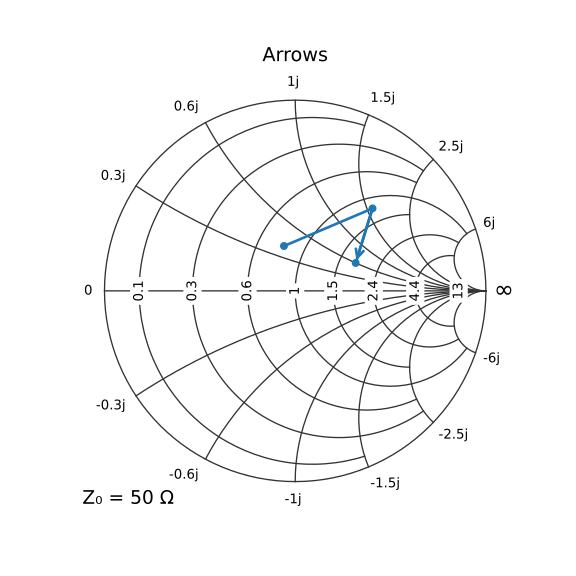
This project originated from pySmithPlot by Paul Staerke. It has been completely rewritten so any issues are not his.
Features
Seamless matplotlib integration — implemented as a projection; compatible with standard plotting workflows
Support for common RF quantities — reflection coefficients, impedances, admittances, and S-parameters
Configurable analytical grids — control spacing, style, and precision of constant-R and constant-X curves
Interpolation utilities — optional smoothing and resampling of complex-valued datasets
Custom marker rotation — useful for frequency-indexed trajectories and multi-point measurement data
Publication-quality output — full control over fonts, colors, annotations, and line styling
Installation
Using pip:
pip install pysmithchart
Using conda:
conda install -c conda-forge pysmithchart
Quick Start
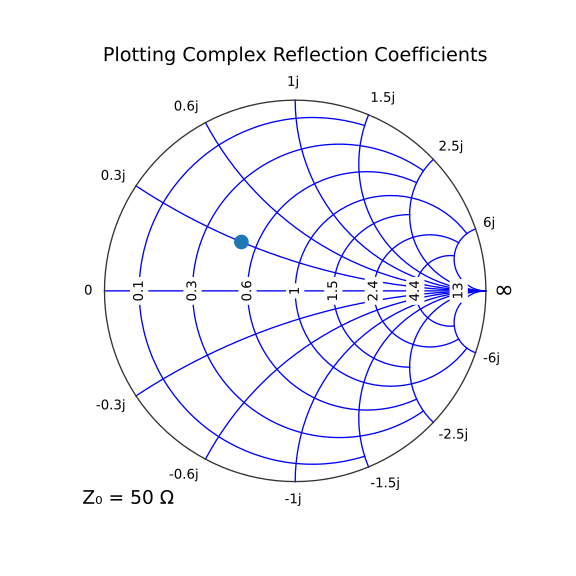
Reflection Coefficients (S-Parameters)
import matplotlib.pyplot as plt
from pysmithchart import R_DOMAIN

S = [0.5 + 0.3j, -0.2 - 0.1j]

plt.figure(figsize=(6, 6))
plt.subplot(1, 1, 1, projection="smith")
plt.plot(S, domain=R_DOMAIN, marker='o', markersize=10, label='S₁₁')
plt.legend()
plt.title('Reflection Coefficients')
plt.show()
Normalized Impedance Example
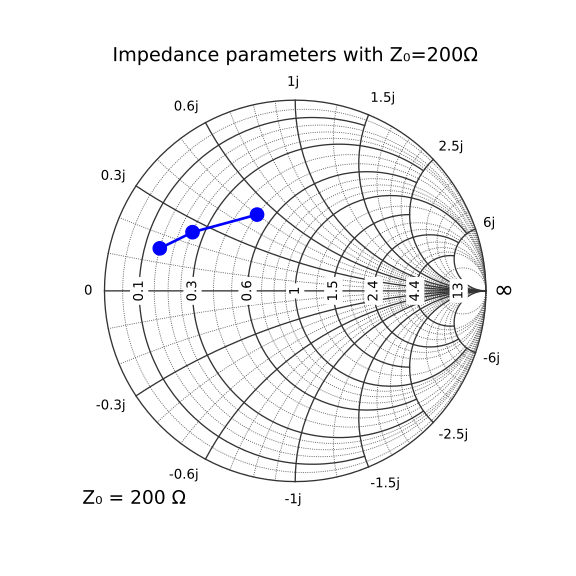
import matplotlib.pyplot as plt
import pysmithchart

ZL = [30 + 30j, 50 + 50j, 100 + 100j]

sc = {"grid.Z.minor_enable":True}
plt.figure(figsize=(6, 6))
ax = plt.subplot(1, 1, 1, projection="smith", Z0=200, **sc)
plt.plot(ZL, "b-o", markersize=10, label='Load Impedance')
plt.legend()
plt.title('Impedances with Z₀ = 200Ω')
plt.show()
Documentation
Comprehensive documentation, including the API reference, tutorials, theoretical background, and worked examples, is available at:
A live, browser-based environment powered by JupyterLite is available for experimentation without installation:
License
pysmithchart is released under the BSD-3 Clause License.
Citation
If you use pysmithchart in academic or technical work, please cite:
Prahl, S. (2026). pysmithchart: A Python module for Smith charts (Version 0.6.0) [Computer software]. Zenodo. https://doi.org/10.5281/zenodo.8370821
BibTeX
@software{pygrin_prahl_2026,
  author    = {Scott Prahl},
  title     = {pysmithchart: A Python module for Smith charts},
  year      = {2026},
  version   = {0.6.0},
  doi       = {10.5281/zenodo.8370821},
  url       = {https://github.com/scottprahl/pygrin},
  publisher = {Zenodo}
}
Getting Started
- Quickstart
- Smith chart domains
- Admittance Smith Charts
- Simplified Interface
- 1. Basic Admittance Chart
- 2. Admittance Chart with Minor Grid
- 3. Fancy Mode (Adaptive Clipping)
- 4. Fancy Mode with Minor Grid
- 5. Customized Admittance Grid Colors
- 6. Dual Grid: Impedance + Admittance
- 7. Standard vs Fancy Mode Comparison
- 8. Different Division Settings
- 9. Practical Example: Parallel RC Circuit
How-To Guides
- Plotting data on a Smith chart
ax.plot()vsax.scatter()- What inputs does
plot()accept? - Points vs lines in
plot()(format strings, markers, and line styles) - Marker control with
ax.scatter() - Traces: plotting a sweep
ax.text()vsax.annotate()- Plotting in Γ (reflection coefficient)
- 5. Plotting with normalized impedance (NORM_Z_DOMAIN)
- VSWR and circles on the Smith chart
- Rotations and transmission lines
- Arrow Support in Smith Charts
- Impedance Matching: Practical Design Examples at 1 GHz
- Customize grid, colors, and tick labels
- Recommended configuration pattern
- 1. Default grid and ticks
- 2. Enable/disable major and minor grids (reusable config)
- 3. Changing grid colors
- 3a. Styling the outer boundary (Smith-circle frame)
- 3b. Using alpha to emphasize major vs minor grids
- 4. Changing the number of major divisions (tick locations)
- 5. Minor grid density
- 6. “Fancy” grid style
- 7. Tick-label formatting and precision
- Summary
API
Changelog
changelog